
 By
By I'm a nostalgic person. This doesn't mean I'm not open for change, but I definitely tend to continue using things that still work – as long as they work.
This can also be applied to the computer mouse. A very underestimated accessory. Looking at my whole life, I've been holding a computer mouse longer in my hand than I held hands with my wife. That fact puts the mouse into another perspective, right?
I've been working with computers on a daily basis since I was 13 years old (1998). Yeah, back then we had to regularly take out the "ball" out of the mouse and properly clean it – but the computer mouse had been established already.
With the removal of the "ball" in optical (infrared or LED sensors) mice, the remaining "bad parts" were gone. A mouse was faster, more accurate and also cleaner than in the past.
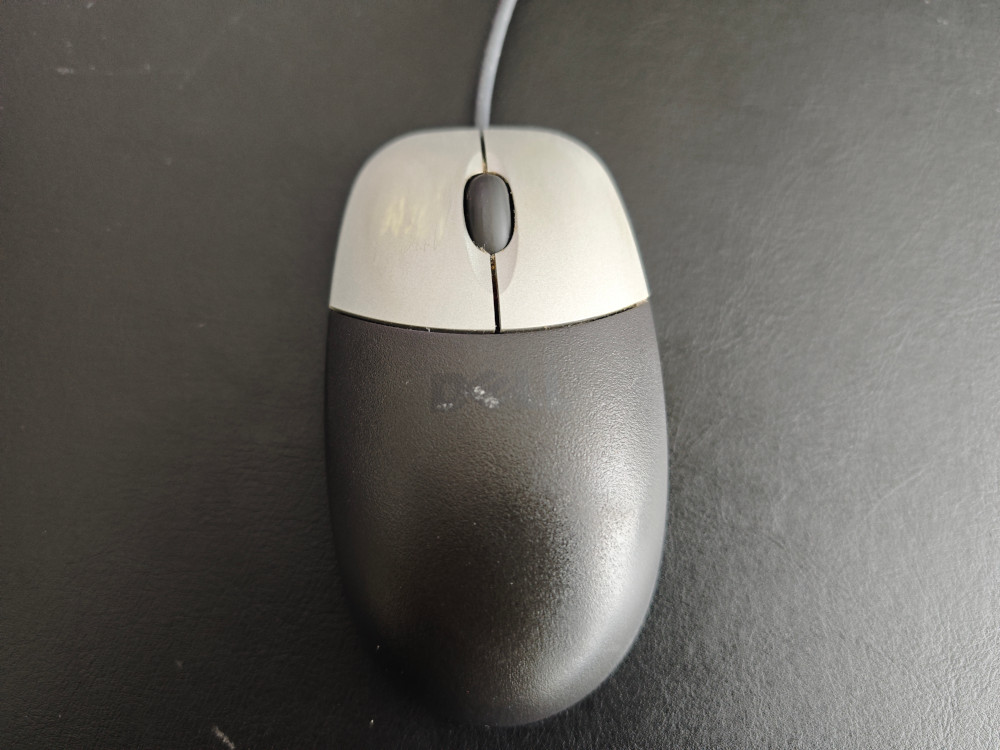
So why would I replace my old but still well-working mouse?
Pain in the wrist: The mouse arm syndrome
Age. Yes, age. I recently turned 40 and unfortunately I can feel the impact. One symptom in particular was something very new to me: Pain in the right wrist (where I hold the mouse).
Lifting my right hand vertically causes slight pain, putting body weight on the hand (for example a push-up) really hurts. On the left wrist everything's alright. This led me to some research where I stumbled on the "mouse arm syndrome", also known as RSI (Repetitive Strain Injury). Symptoms of this syndrome range from wrist pain to even swelling or numbness.
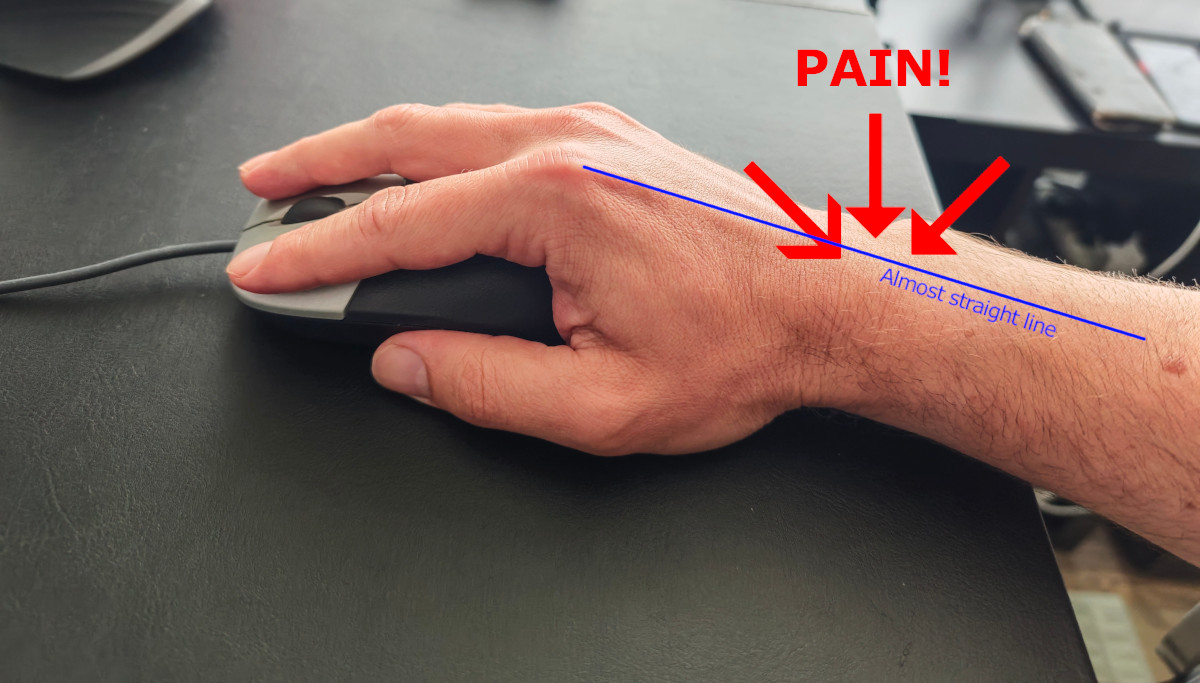
The cause is – in most cases – the unnatural position of the wrist and arm when working with the mouse. I had to find a way to improve this situation.
Attempt with ergonomic mouse pad
The first attempt was to keep the mouse and get a mouse pad with an ergonomic "wrist sofa". The idea is to place the wrist on this soft pillow while working with the mouse. Multiple websites and reviews mentioned the improvements with such an ergonomic mouse pad.
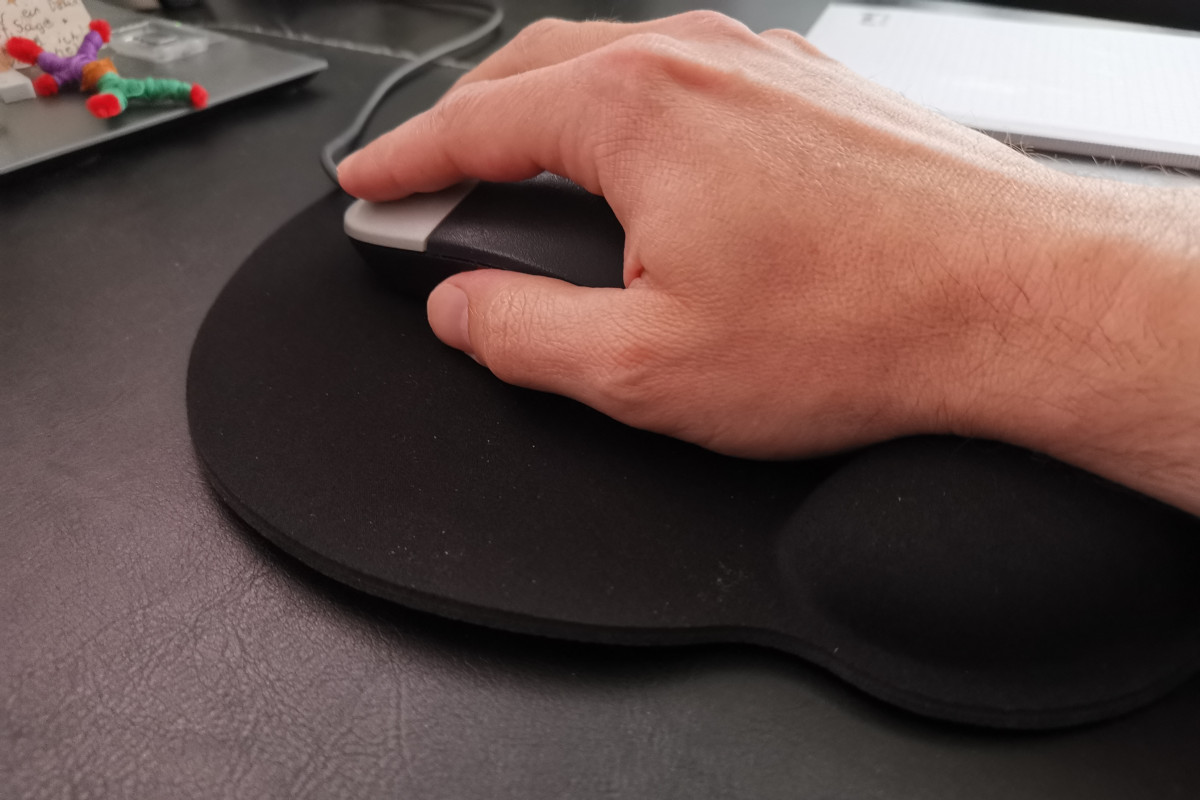
I decided to give it a shot and went for an ergonomic mouse pad from Delock (AMZN link). Although working with the mouse felt more relaxing – at first – the pain in my wrist significantly increased after working a week like this.
I am not a doctor and can't tell the exact cause, but my guest guess is that – with the pillow lifting up my wrist – the unnatural and straight position of hand-wrist-arm was even worse than before.
Back to square one.
Ergonomic mouse: But not like this!
Colleagues and other professionals in the field all suggested an ergonomic mouse. But when a colleague of mine showed me his vertical (!) aligned ergonomic mouse (an Evoluent VM4R Vertical Mouse, link to AMZN product), I just had to shake my head.
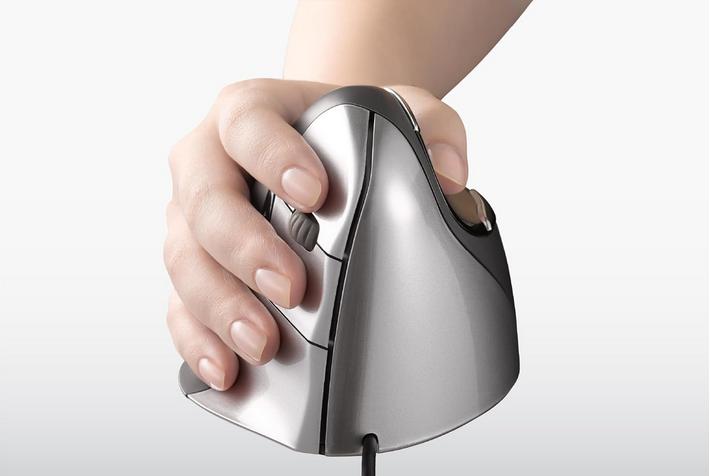
Besides it feeling very unnatural (at least to me), it's ugly as hell and uses a lot of space.
If you think this is pretty, practical and are able to re-learn how to use the mouse, this might be the best ergonomic mouse. But it ain't the case for me. I just can't work with that thing.
Logitech MX Master 3/S
After I stumbled on a blog post comparing the Logitech MX Master 3 to its successor, the MX Master 3S (product link at Amazon), I was intrigued. This mouse looks very similar to a classic computer mouse and is only slightly bigger, yet you can immediately feel the increased comfort.

The major difference is the rounded back of the mouse, allowing the hand to "curve around" the mouse. The thumb is placed on a "resting" spot, conveniently able to operate additional mouse buttons. It feels a bit as if you were holding "half of a baseball ball" in the hand.
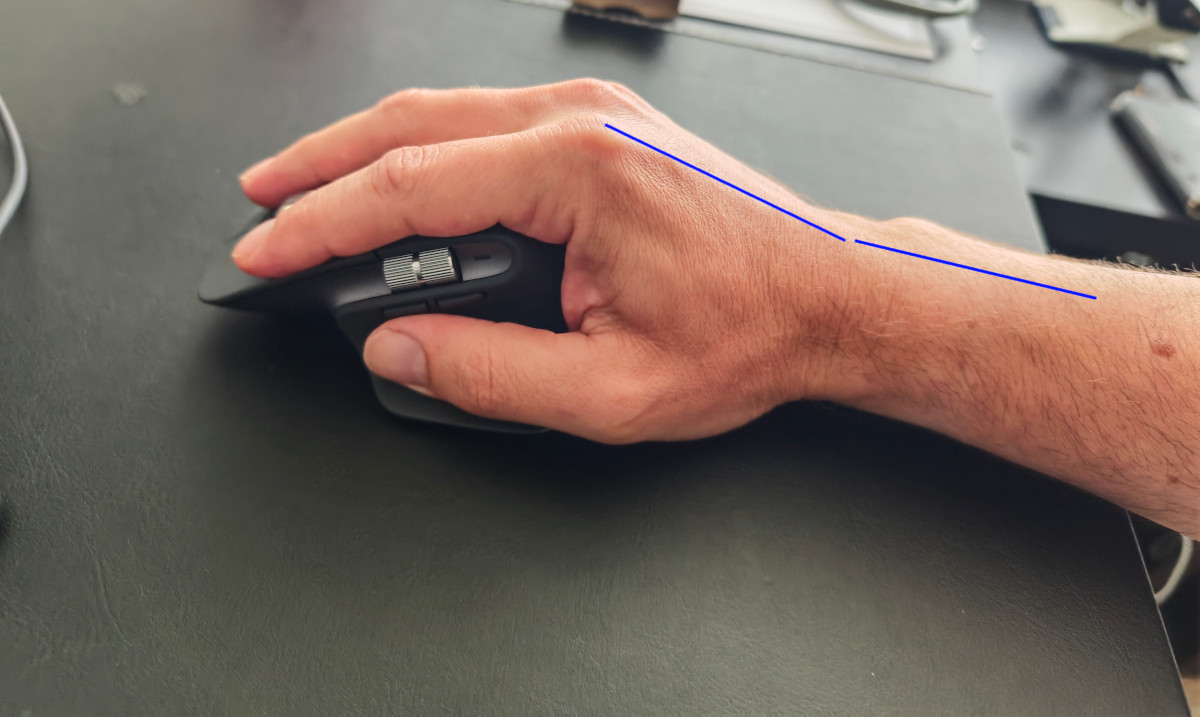
The fact that the end of the hand is now slightly rounded and "sits" on the mouse, relieves the wrist. The "straight line" is broken.
After having worked with the Logitech MX Master 3S (AMZN link) over one month straight on my primary Linux workstation (usual work and some gaming), I can absolutely recommend this mouse. The pain in my wrist has significantly decreased and working with this mouse, generally, just feels much more comfortable than ever before.


