
 By
By The open source video editor Kdenlive supports speech to text. This neat feature automatically creates sub titles from the audio track.
You can enable "speech to text" in Kdenlive under Settings -> Configure Kdenlive -> Speech To Text.
However in order to enable this feature, a couple of requirements need to be installed first. The User Interface also informs about this.
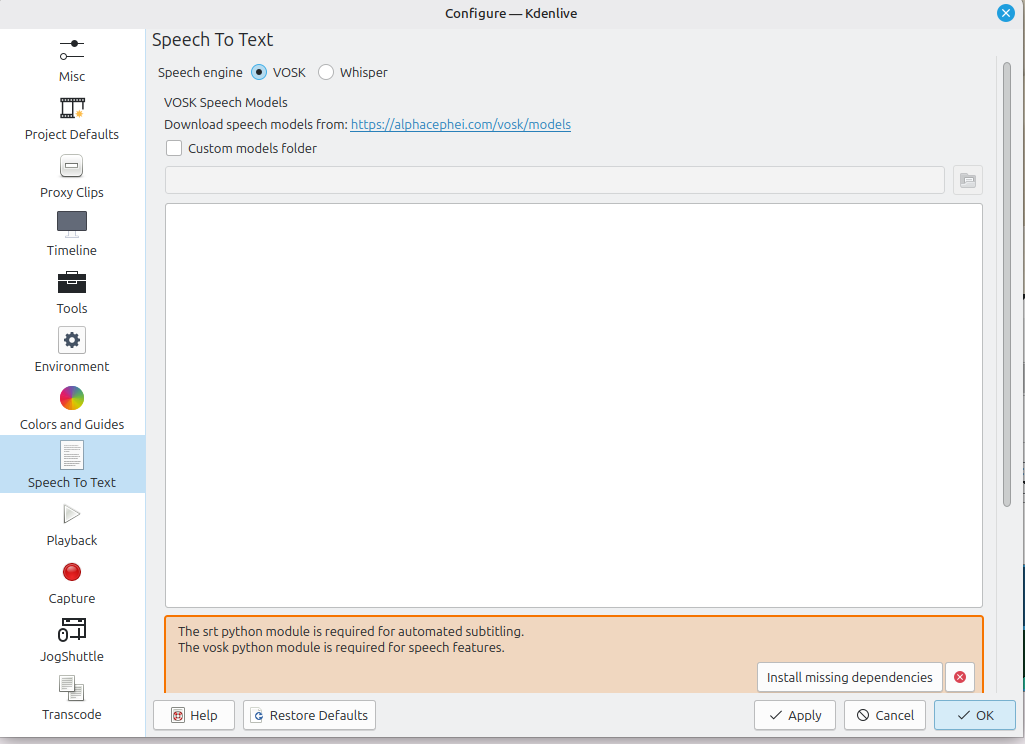
In this situation, Kdenlive requires additional Python modules:
- The srt python module is required for automated subtitling
- The vosk python module is required for speech features
If you are on a Debian or Debian-based Linux, such as Ubuntu or Linux Mint, you can install the Python srt module from the official APT repos:
ck@mint ~ $ sudo apt-get install python3-srtThe vosk module however is not available from the APT repositories. The easiest way to install this Python module is to use pip3:
ck@mint ~ $ sudo pip3 install vosk --break-system-packages
Installing collected packages: tqdm, pycparser, cffi, vosk
Successfully installed cffi-2.0.0 pycparser-2.23 tqdm-4.67.1 vosk-0.3.45
Back in Kdenlive, you can now scroll down a bit and click on the "Check configuration" button. Kdenlive then verifies the Python modules and should show a green background, that all requirements are installed.
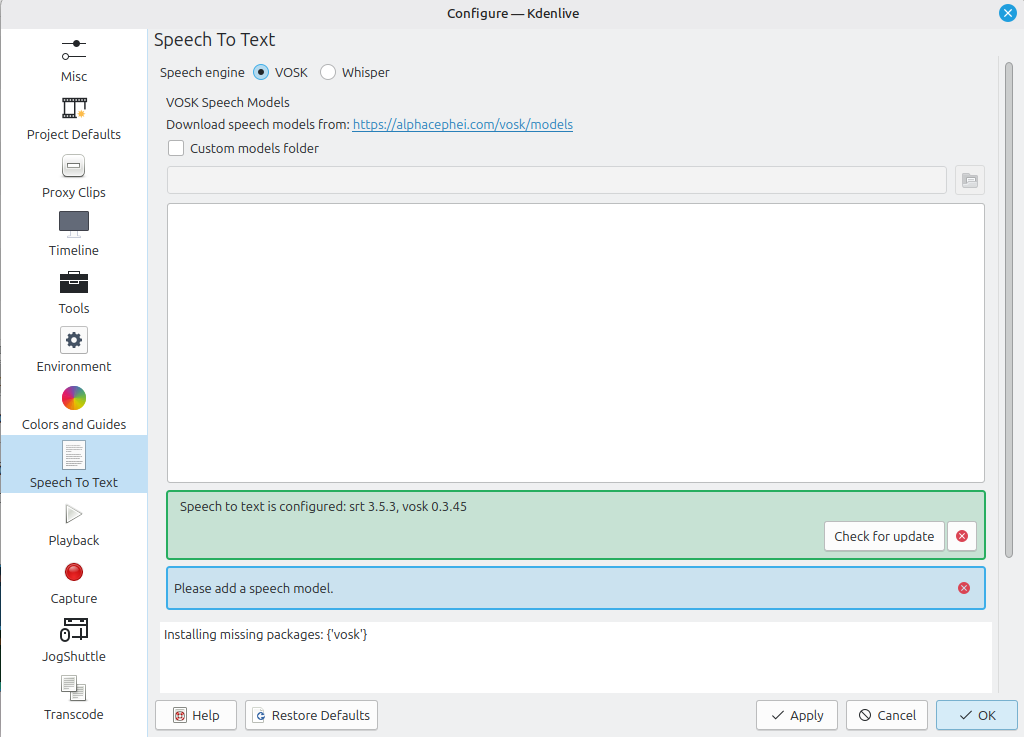
You can now proceed to install a speech model from the mentioned URL.


