
 By
By 
NordVPN is one of the most known and widely used VPN providers. They claim that NordVPN can run on all systems. But getting NordVPN to run on an up to date Kodi (Kodi 21) on a device running OSMC or LibreElec is cumbersome.
But with the right knowledge – and workarounds – it is possible. Here's how!
NordVPN 3 months off
Get to use NordVPN 3 months for free if your purchase a 1-year or 2-year plan. Use this link to get the offer.
The official Kodi plugin does not work
Before we get into the technical howto, let's first discuss the "official" NordVPN plugin for Kodi.
The NordVPN Knowledge Base contains an article which describes how to use NordVPN on Kodi. It refers to a Kodi add-on as a zip file (NordVPNSetup.zip).
This add-on was created for older Kodi releases, which relied on Python 2.7 programming language. Newer Kodi releases, including the latest stable version Kodi 21.1 (Omega), only support Python 3.
The installation of the NordVPN zip file results in an error, pointing to missing Python 2.7.
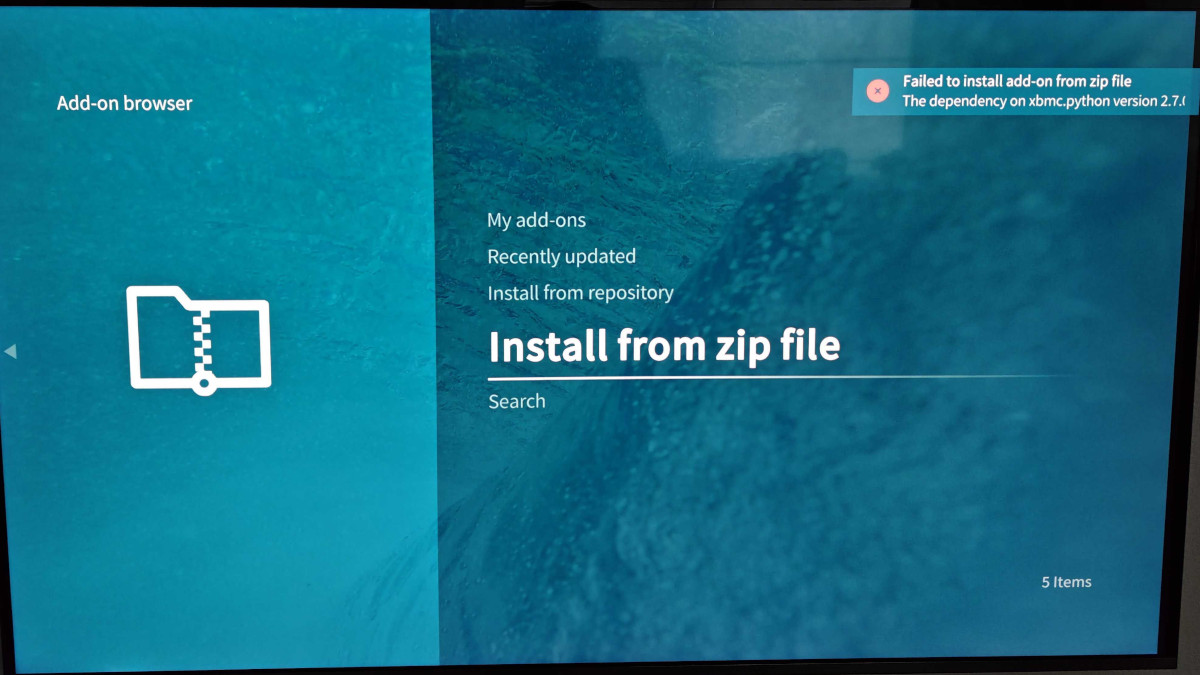
Zomboided VPN Manager to the rescue!
Luckily there's the Open Source Community! GitHub user Zomboided created a working Kodi add-on "service.vpn.manager". This VPN Manager add-on is able to support all kinds of VPN Providers, not just NordVPN.
In the following steps we explain how to enable the Zomboided repository, followed by the installation and configuration of the VPN Manager add-on.
Enable zip installation from unknown sources
The easiest way to install the Zomboided repository is to install the relevant zip file. In order to do that, Kodi needs to be told that installation from "unknown sources" are allowed.
To do this in OSMC Kodi, go to Settings -> System Settings -> Add-ons -> Unknown sources (toggle on).
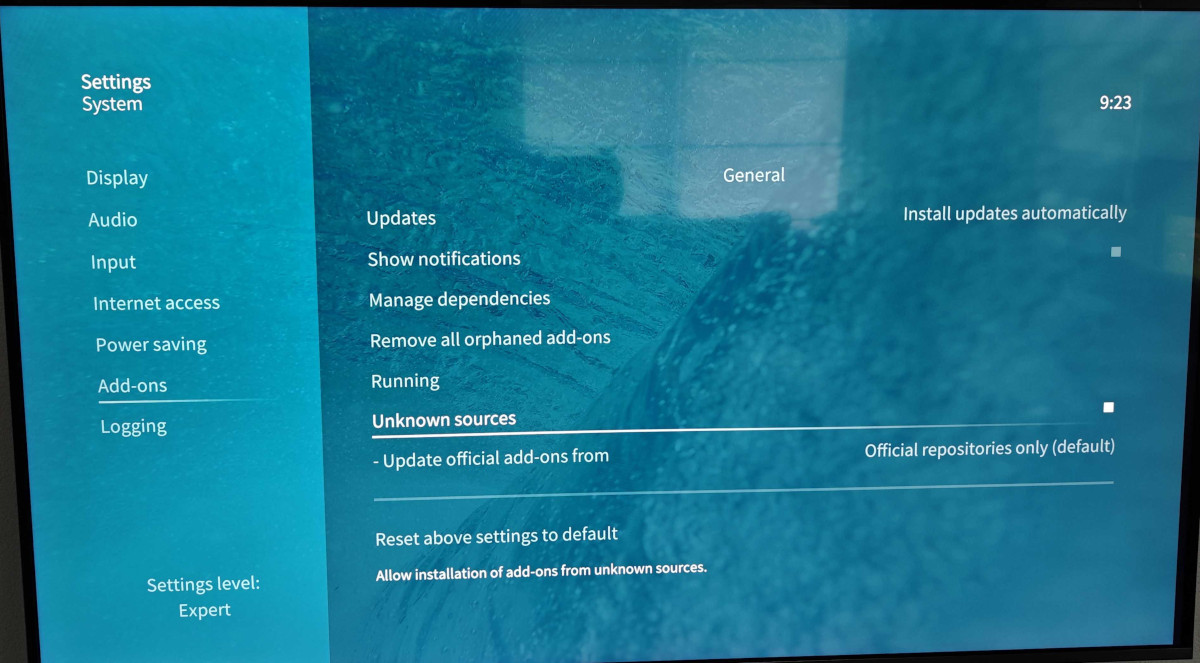
Download and install Zomboided repository
Open the releases page of the "repository.zomboided.plugins" GitHub repo. As of writing this tutorial, the latest version is 1.0.1.
Download the ZIP file and make it visible for Kodi. This could be by saving the zip file on a USB stick and attaching it to your Kodi device/player or by saving it on a Network Share, where Kodi has access to.
Inside Kodi, open the Add-on browser (Settings -> Add-on browser) and select "Install from zip file". Navigate to the path where you have saved the ZIP file (repository.zomboided.plugins-1.0.1.zip) and open it.
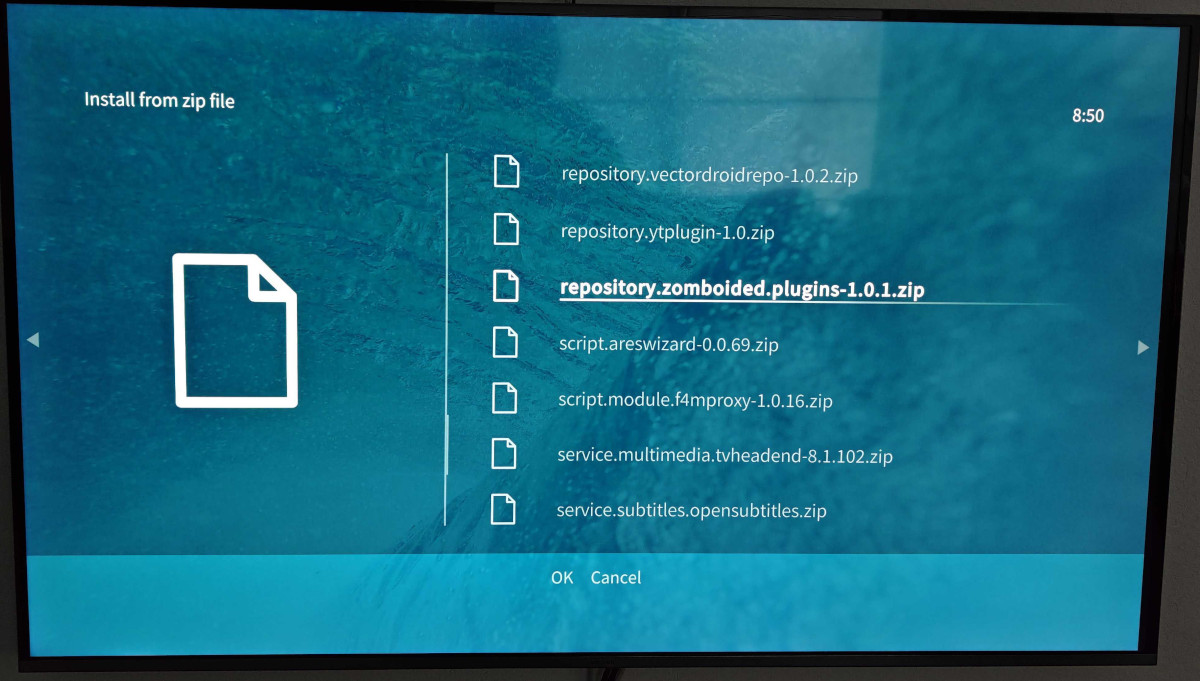
This installs and configures an additional Kodi repository "Zomboided Add-on Repository".
Install "VPN Manager for OpenVPN"
Go back to the home-screen of Settings -> Add-on browser (you might have to hit "return" on your remote a couple of times), until you see the options including "Install from repository" again.
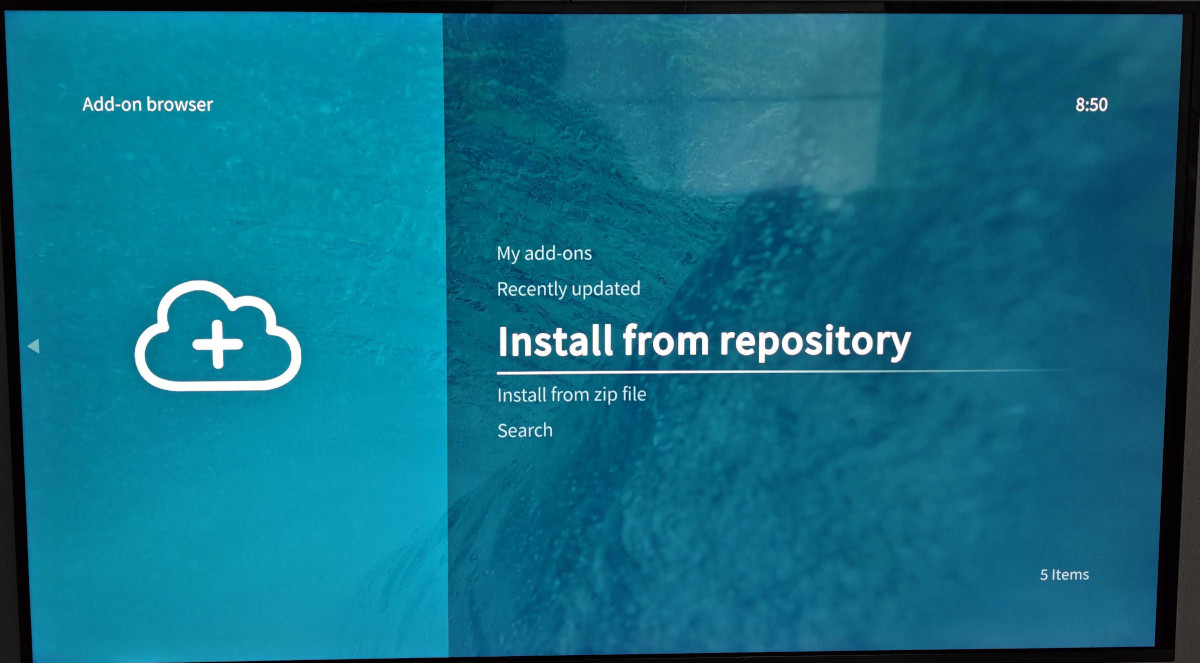
The installed Kodi repositories now show up. One of them should be the "Zomboided Add-on Repository", which we just installed in the last step from the zip file. Enter the Zomboided Add-on Repository.
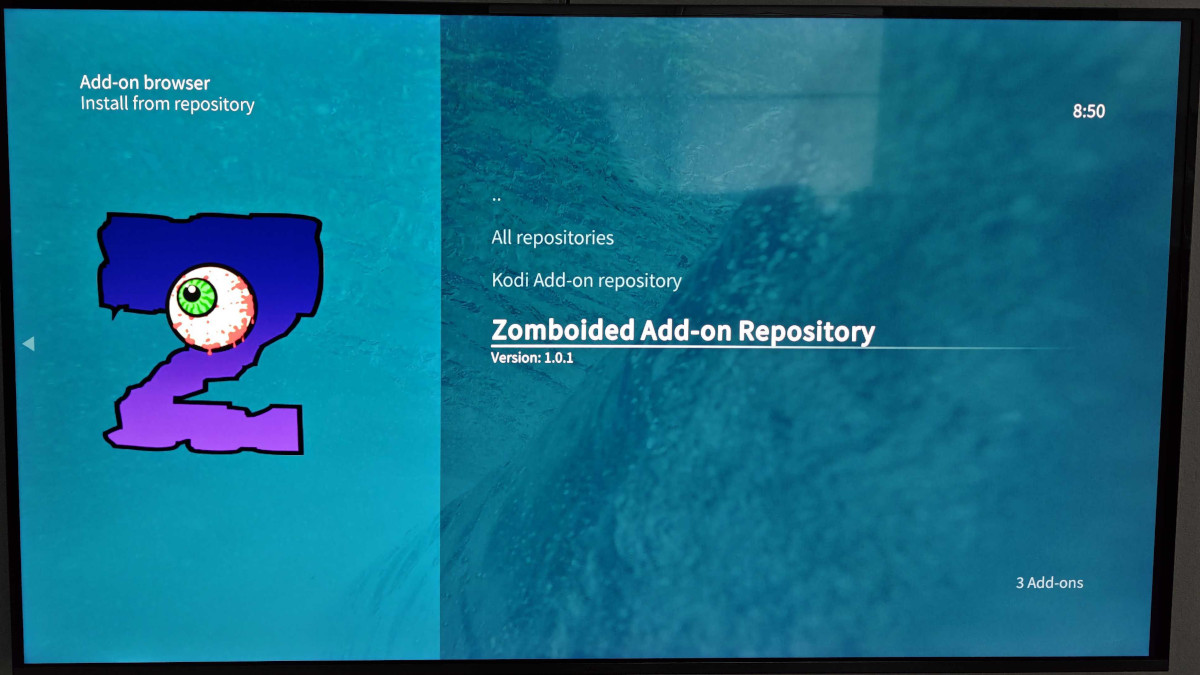
Enter the "Services" category.
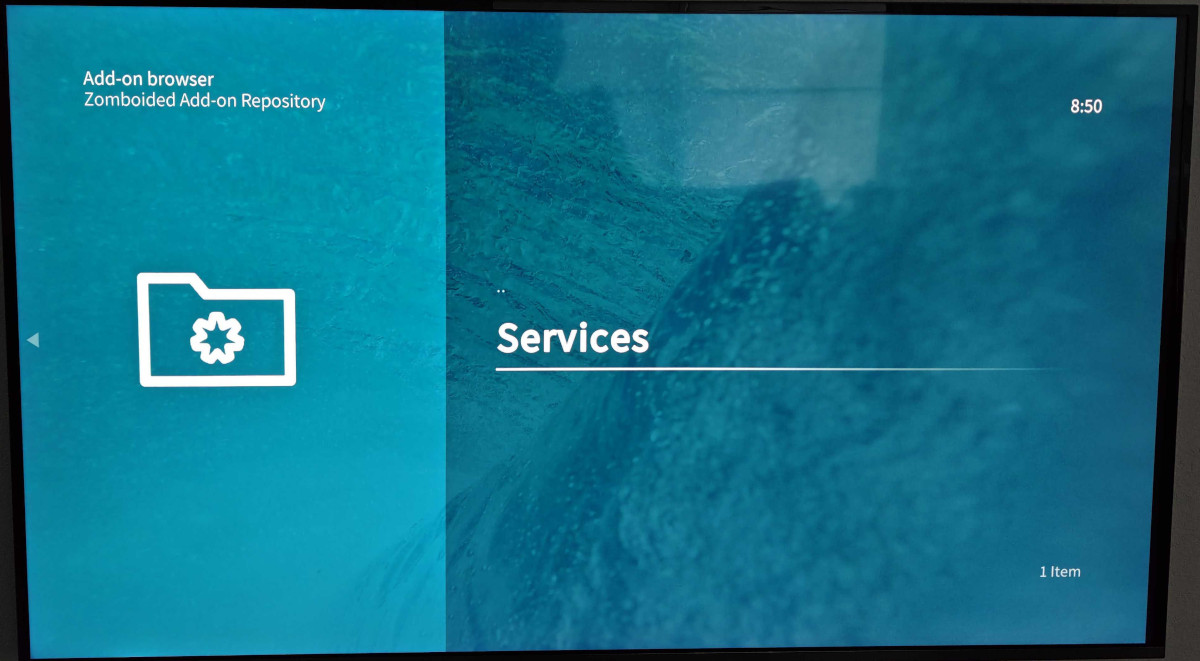
Now select and install the "VPN Manager for OpenVPN" add-on.
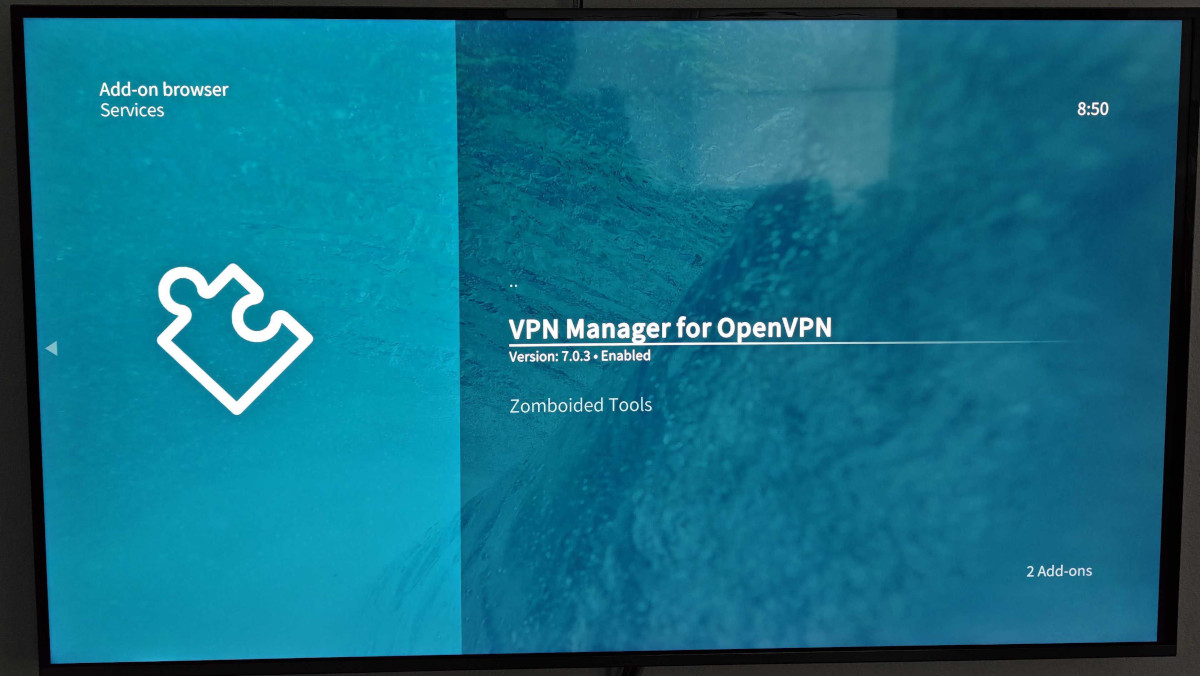
As of writing this tutorial, the VPN Manager for OpenVPN 7.0.3 was installed from the Zomboided repository.
Before we continue with the (helpful) Setup Wizard of this add-on, we must prepare a NordVPN token.
Create NordVPN service token
Open your browser on your computer/phone and log in into your NordVPN account.
In the left Navigation, click on NordVPN. Then under "Access token" click on "Get Access token".
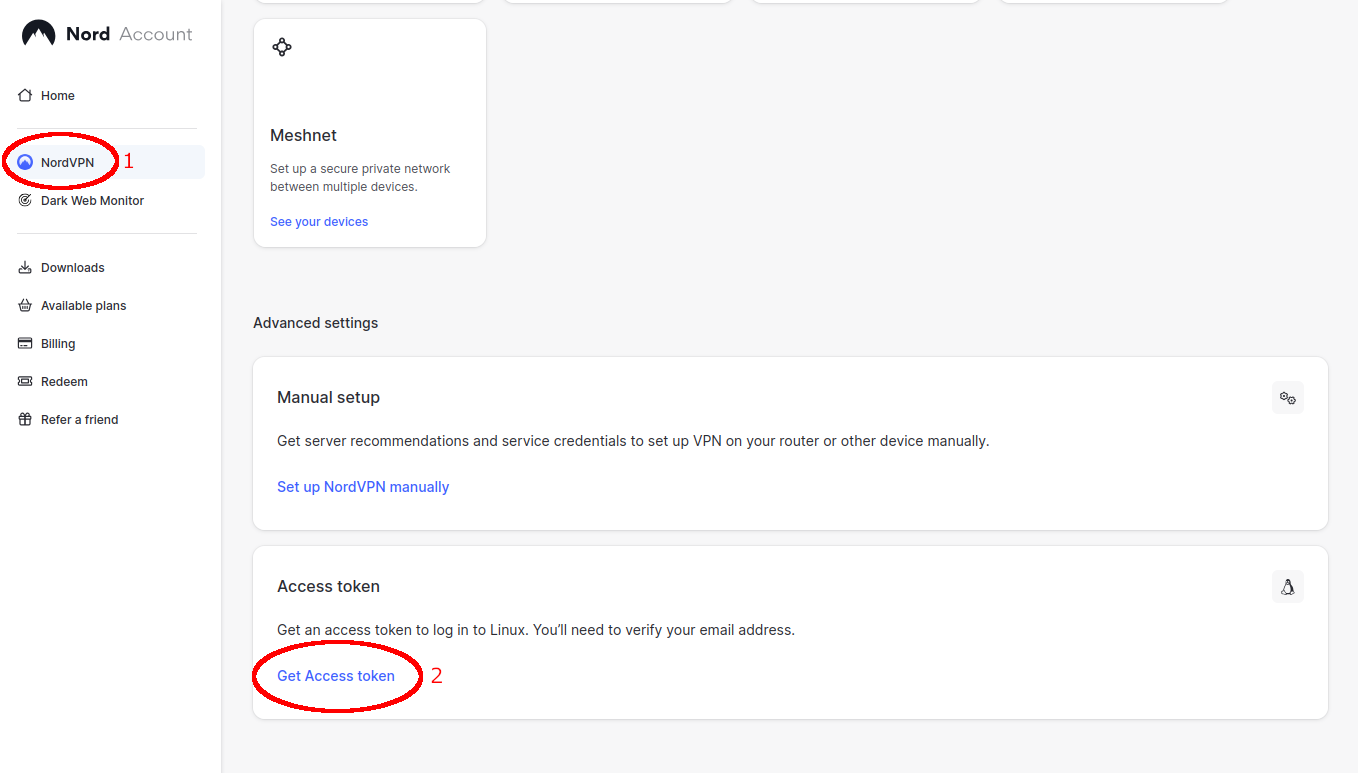
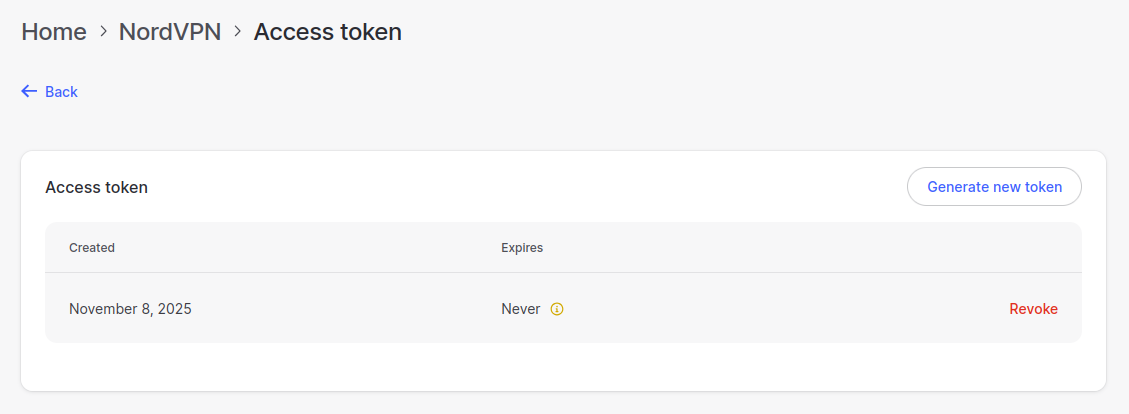
You will see an overview of existing tokens, if you have any. Add a new token by clicking on the "Generate new token" button.
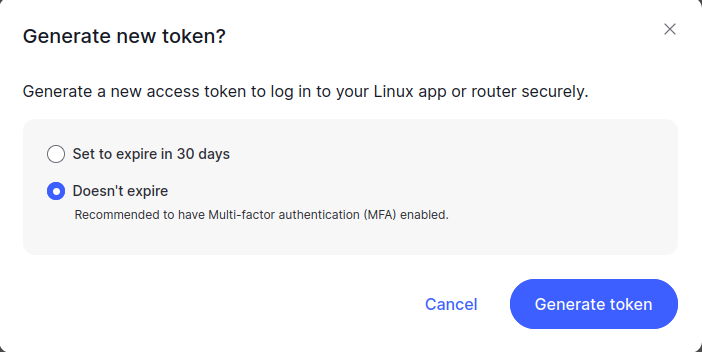
You can define whether the new token should expire after 30 days or not at all. For security reasons you should use the 30 day expiry – however updating the token inside Kodi (without SSH access to the Kodi device) is cumbersome. Feel free to use what you feel is right.
In the resulting window you will get the token code. This code is only shown once. Make sure you copy and save the token somewhere safe – you will need this token code for the configuration of the VPN Manager on Kodi!
VPN Configuration in Kodi
Back in Kodi, the installation of the VPN Manager should ask you if you want to set up a VPN connection through the wizard. Let's do this, as it's the easiest way to configure NordVPN on Kodi.
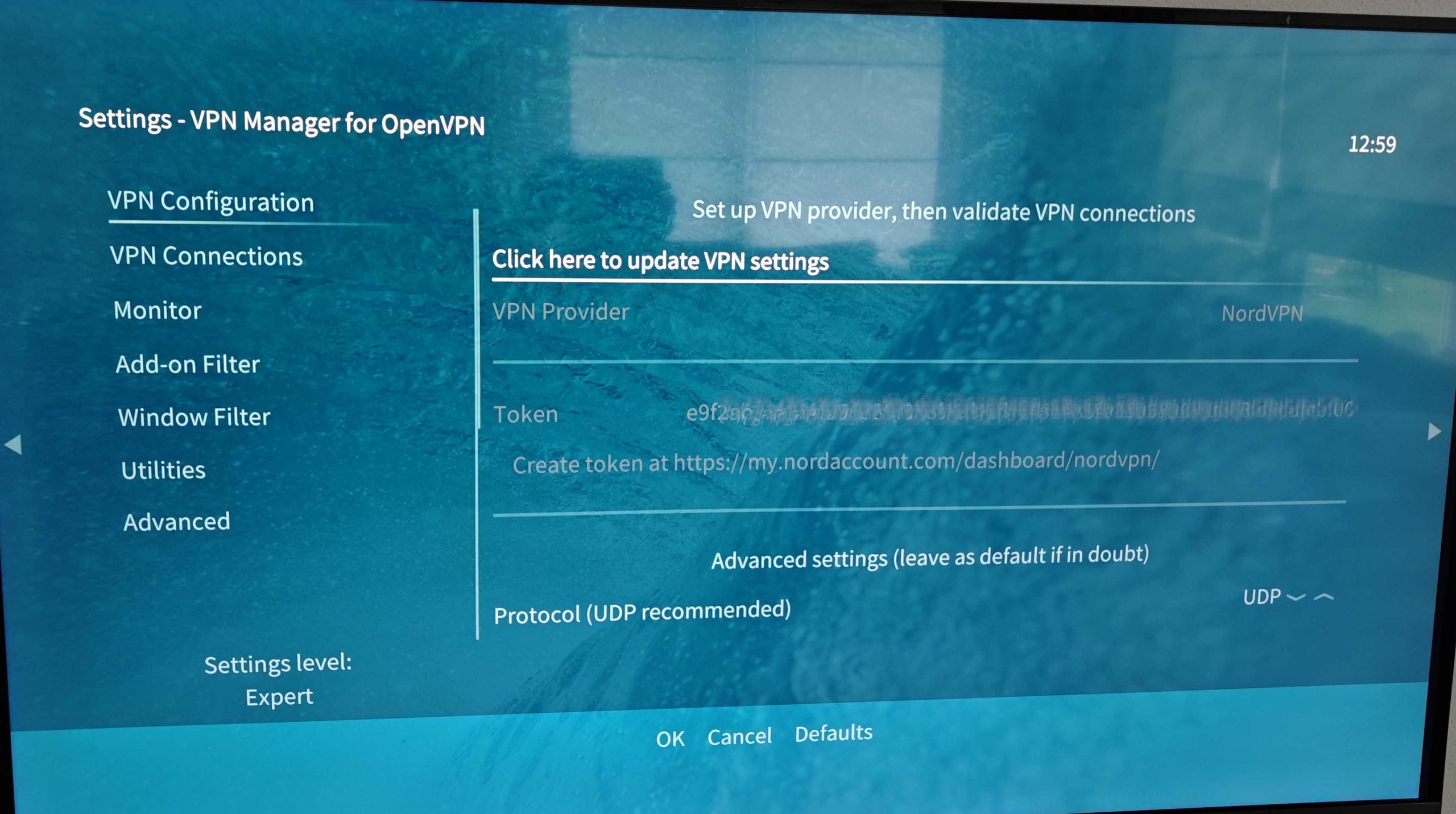
Note: If you need to (re-)start the wizard manually, you can do this in: Settings -> Add-on browser -> My add-ons -> Services -> VPN Manager for OpenVPN -> VPN Configuration -> Click here to update VPN settings
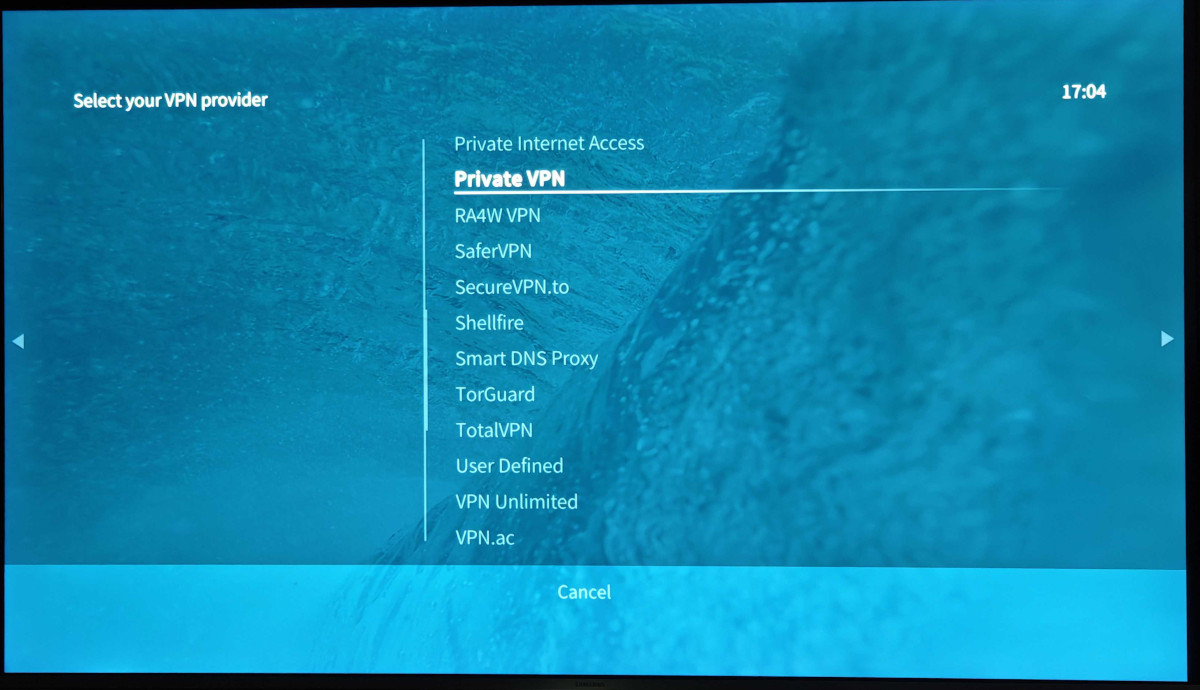
The setup wizard first asks which VPN Provider to use. Scroll down the list and select NordVPN.
In the next step the wizard asks for the NordVPN token. Enter the token code you've saved before.
Note: The token will be stored in .kodi/userdata/addon_data/service.vpn.manager/settings.xml under the "vpn_token" setting.
The last step of the wizard asks you to select a country for your VPN connection.
The wizard then downloads and installs the profile for the selected country and establishes the VPN connection.
VPN connection doesn't work – authentication error
You might run into a VPN connection error after the initial configuration. The VPN Log would show something like this:
DEPRECATED OPTION: --cipher set to 'AES-256-CBC' but missing in --data-ciphers (AES-256-GCM:AES-128-GCM). Future OpenVPN version will ignore --cipher for cipher negotiations. Add 'AES-256-CBC' to --data-ciphers or change --cipher 'AES-256-CBC' to --data-ciphers-fallback 'AES-256-CBC' to silence this warning.
WARNING: file '/home/osmc/.kodi/addons/service.vpn.manager/NordVPN/pass.txt' is group or others accessible
OpenVPN 2.5.1 arm-unknown-linux-gnueabihf [SSL (OpenSSL)] [LZO] [LZ4] [EPOLL] [PKCS11] [MH/PKTINFO] [AEAD] built on Aug 25 2025
library versions: OpenSSL 1.1.1w 11 Sep 2023, LZO 2.10
Error reading username from Auth authfile: /home/osmc/.kodi/addons/service.vpn.manager/NordVPN/pass.txt
Exiting due to fatal error
This error happens because at the beginning of November 2025, NordVPN has changed how the token is used during the login (authentication) phase. This is described in issue #438 in the GitHub repository for the VPN Manager.
As of today (November 10th 2025), there is not a new release with a fix in the Zomboided repository yet. But this can be fixed manually, if you have SSH access to your Kodi device.
Kodi devices: Default SSH access
OSMC and LibreElec have the following default SSH user credentials:
OSMC: User is "osmc" and password is "osmc"
LibreElec: User is "root" and password is "libreelec"
The fix is already suggested in a Pull Request. Download the patched file (alternativeNord.py) and upload this file using SSH/SCP/SFTP to your Kodi device.
Logged in using SSH on your Kodi device, replace .kodi/addons/service.vpn.manager/libs/alternativeNord.py with the patched file.
osmc@osmc:~$ cp -p alternativeNord.py .kodi/addons/service.vpn.manager/libs/alternativeNord.py You might need to reboot the device afterwards.
Connecting to NordVPN in Kodi should now work again.
We will update this article when a new release of VPN Manager with the patched alternativeNord.py file is available.


