
 By
Creating original visuals used to require a combination of design skills, expensive software, and plenty of time. AI has changed this… significantly!
With just a written description (prompt), you can now turn creative ideas into custom visuals in minutes. From realistic product shots to digital illustrations and marketing graphics, these tools make image creation more accessible to businesses, entrepreneurs, and everyday creators. You can even select your visual style, whether this is realistic, comic, romantic, … you name it.
But how do AI image generators actually work? What can you create with them, and how can you get better results?
In this guide, we'll explore everything you need to know about AI image generation in 2026.
Comparison to our 2024 article
Back in 2024 we already compared some AI image generation tools. Since then, AI has picked up speed and quality. Check out the article to compare the images created back then.
What Is an AI Image Generator?
An AI Image Generator is a tool that uses artificial intelligence (AI) to create images based on written descriptions. These descriptions are called prompts. Instead of manually drawing or designing an image, you describe what you want to see, and the AI generates a visual interpretation of your instructions.
For example you could enter a prompt describing a minimalist product photograph of a wireless gaming controller on a futuristic desk, illuminated by soft blue lighting. The generator interprets the description and produces an image based on the subject, setting, colors, and visual style you requested.
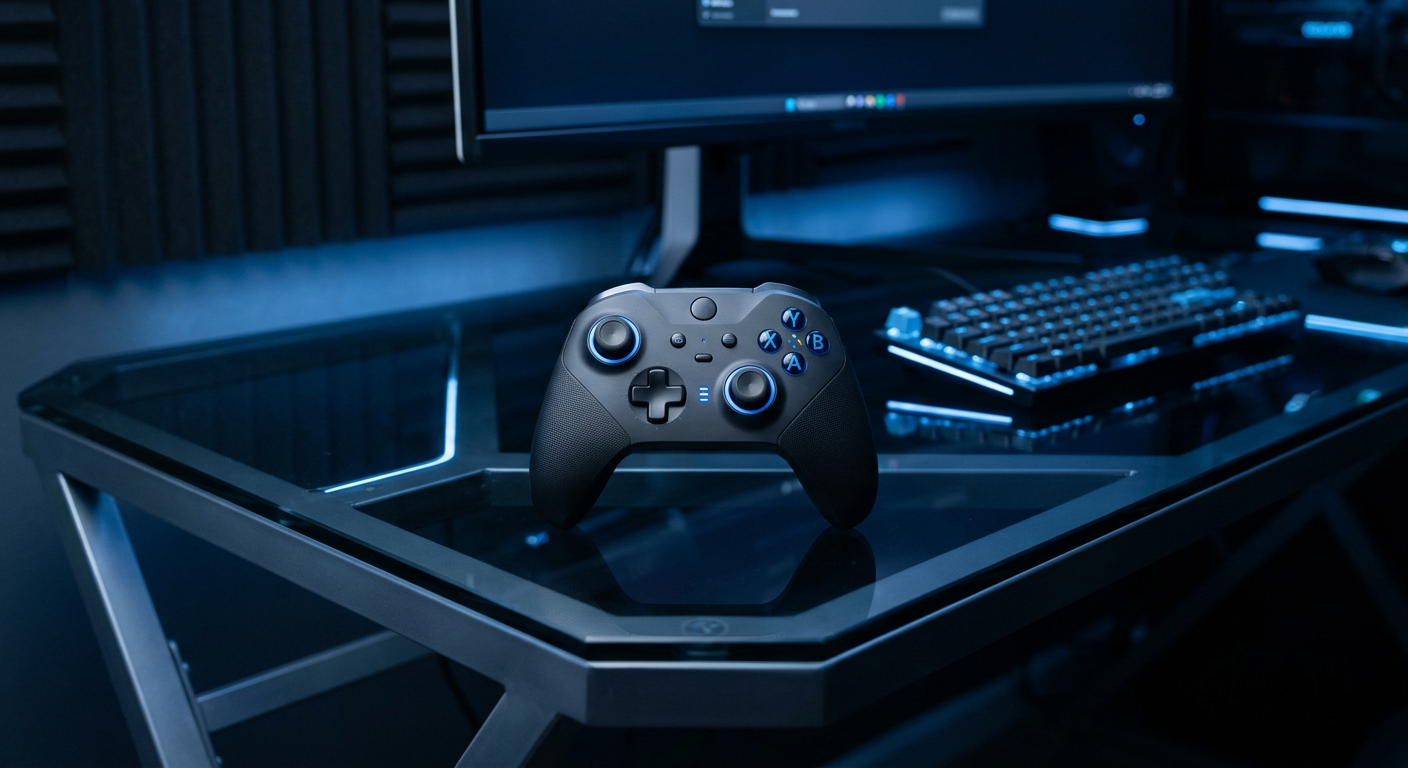
Most modern AI image generators use machine learning models trained on large collections of visual data. These models learn patterns involving objects, textures, lighting, compositions, and artistic styles. When you submit a prompt, the AI uses what it has learned to generate a new image that reflects your description.
Depending on the tool, you may also be able to experiment with different styles and creative directions, including:
- Photorealistic images: Create visuals that resemble professional photography, including product shots, portraits, and lifestyle scenes.
- Digital illustrations: Generate artwork for websites, presentations, and creative projects.
- 3D renders: Produce computer-generated visuals with realistic textures, depth, and lighting.
- Abstract artwork: Explore unusual shapes, patterns, colors, and experimental compositions.
- Minimalist designs: Create clean visuals with simple backgrounds, limited colors, and uncluttered layouts.
- Vintage and retro artwork: Generate images inspired by traditional printing techniques, classic advertisements, and nostalgic aesthetics.
The possibilities depend on the capabilities of the generator, but the basic idea is the same: describe your concept and let AI turn it into an image.
What Can You Create With an AI Image Generator?
AI image generation has applications across many industries. Businesses can use it to produce marketing visuals, while individuals can experiment with artwork, illustrations, and personal creative projects.
- Product Photography: one of the most useful applications of AI image generation, particularly for online stores and small businesses.
- Social Media: Social media platforms rely heavily on visual content. Whether you're promoting a new product, announcing a sale, or sharing a brand update, having fresh imagery can help make your posts more engaging.
- Website Images and Backgrounds: Website visuals help establish a brand's atmosphere and make pages more appealing to visitors.
- Digital Art: You can experiment with fantasy landscapes, character concepts, abstract compositions, decorative illustrations, and other artwork without having to create every element manually.
How to Write Effective AI Image Generator Prompts
The quality of an AI-generated image often depends on how clearly you describe what you want. A short prompt can produce an interesting result, but adding details about the subject, setting, lighting, composition, and style gives the generator more direction.
Think of a prompt as a creative brief. The more useful information you provide, the easier it becomes to communicate your intended visual.
Start With a Clear Subject
First, identify the main subject of your image. Are you creating a product photograph, a landscape, a person, or an illustration? Be specific rather than relying on broad descriptions.
Consider the difference in detail of the two prompts:
- Basic: "A gaming controller."
- Detailed: "A modern black wireless gaming controller with illuminated buttons and a sleek ergonomic design."
The second prompt gives the generator a clearer idea of what should appear in the image.
Describe the Setting and the Background
Next, explain where the subject should appear.
A product photographed against a plain white background will look very different from one placed in a futuristic gaming room or an outdoor environment.
Consider details such as:
- Indoor or outdoor setting.
- Background colors and textures.
- Surrounding objects.
- Foreground and background elements.
- Overall atmosphere.
Specify Lighting and Composition
Lighting and composition influence how professional or artistic an image looks.
For example, soft natural lighting can create a relaxed lifestyle photograph, while dramatic studio lighting can give a product image a premium advertising aesthetic.
You can include descriptions such as:
- Soft natural daylight.
- Dramatic studio lighting.
- Warm golden-hour sunlight.
- Close-up product composition.
- Wide-angle photography.
- Shallow depth of field.
Especially the format (e.g. wide-angle) is something important to mention. Certain image generators – ChatGCP for example – create images in 4:3 format by default, unusable for social media sharing.
Visual Style
Finally, describe the aesthetic you want. You might prefer photorealistic product photography, minimalist illustration, cinematic imagery, or colorful 3D artwork.
Including a style in your prompt helps establish a consistent creative direction.
How to Create Images With Design.com's AI Image Generator
If you're looking for a straightforward way to turn written ideas into custom visuals, Design.com offers an AI Image Generator that lets you create images from text prompts. The process is simple, making it accessible even if you have little experience with graphic design.
First select AI -> AI Image Generator in the top navigation.
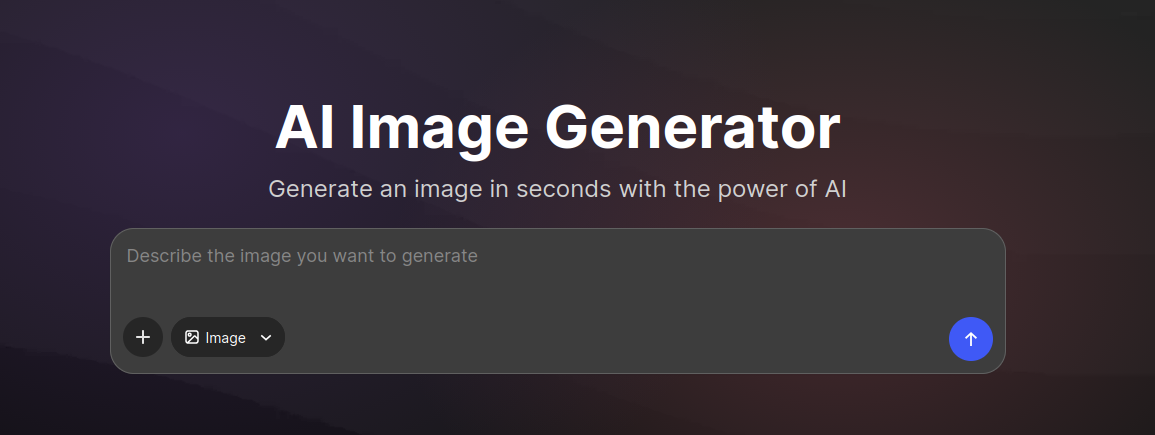
Then enter your prompt. Think about the image you want and write a description that includes the main subject, background, lighting, and visual style.
Click on the blue icon with the arrow pointing up. This will now generate your image.
After a couple of seconds you should see your AI generated image. Take a moment to review the result. Does the image match your original idea? Is the lighting right? Does the background complement the subject?
If something isn't quite right, try adjusting your prompt. You might use a different camera angle, change the background, or experiment with a different visual style.
AI Image Generator Prompt Examples
Here are some ready-to-use prompts you can experiment with. We tried these prompts using Design.com’s AI Image Generator.
Product Photography
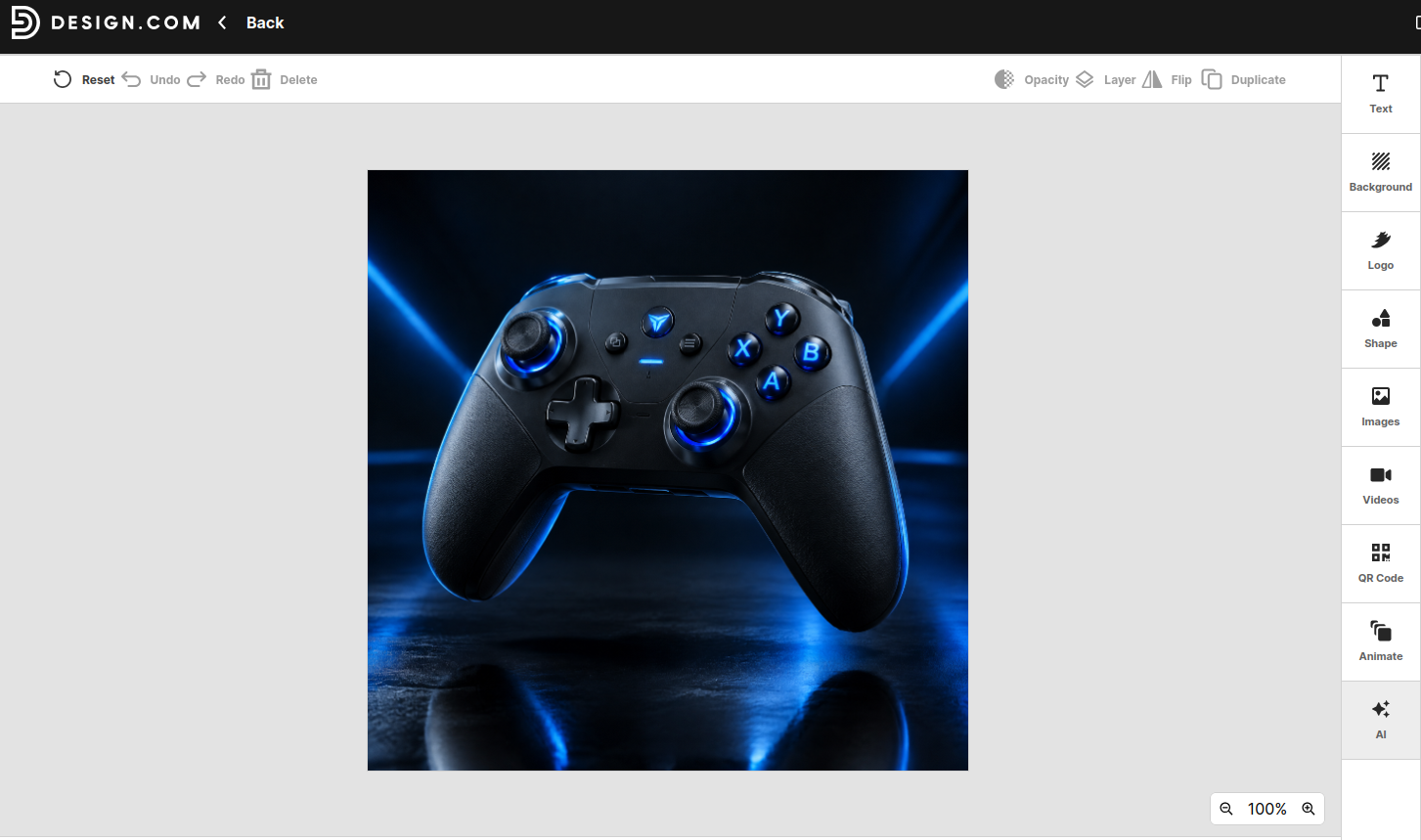
Prompt: Create a premium commercial product photograph of a sleek black wireless gaming controller with illuminated buttons, floating slightly above a glossy dark surface. Use a futuristic studio setting with subtle electric blue lighting, soft reflections, dramatic shadows, and crisp product details. The composition should feel modern, polished, and suitable for a high-end electronics advertising campaign.
Result:
Social Media Visual
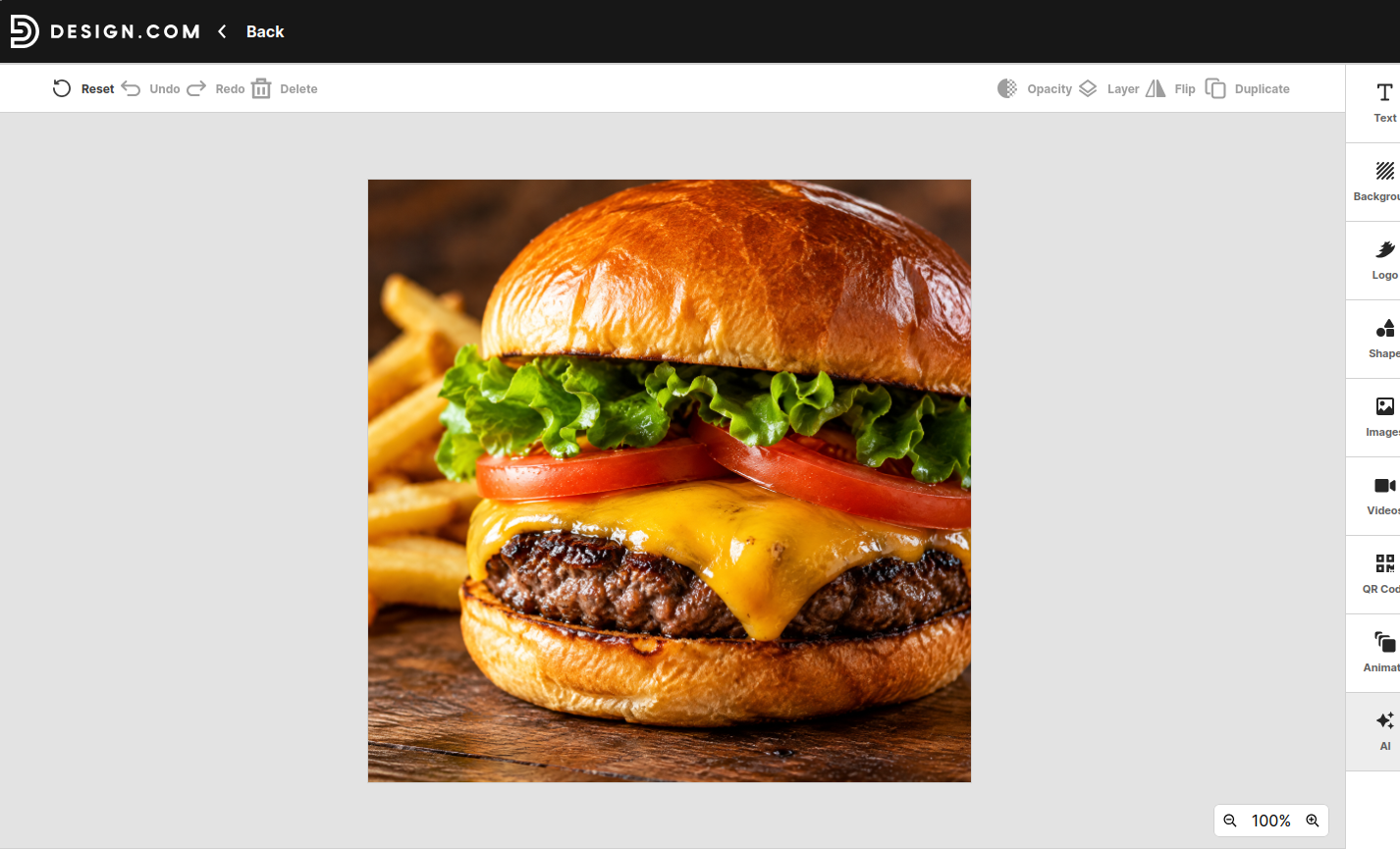
Prompt: Create a mouthwatering commercial food photograph of a juicy gourmet cheeseburger with melted cheddar, fresh lettuce, tomato, and a toasted brioche bun. Place it on a rustic wooden table with a few golden fries in the background. Use warm, natural lighting, rich food textures, and a professional restaurant advertising style.
Fashion Campaign
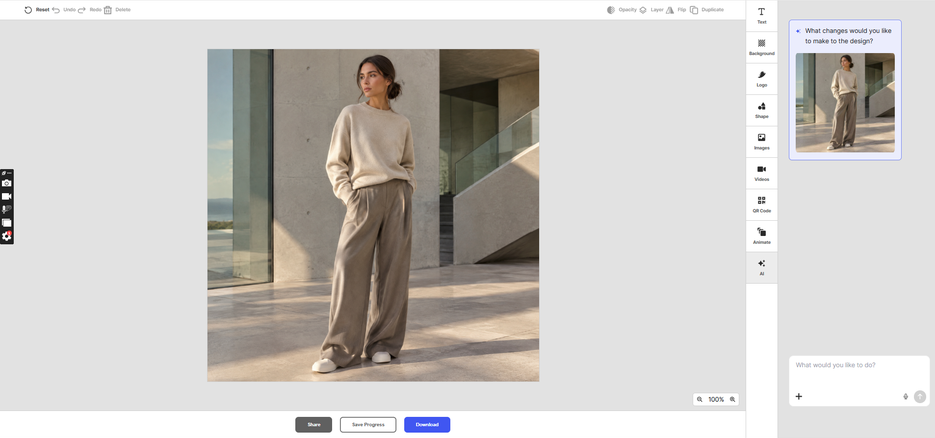
Prompt: Create a high-end fashion campaign photograph featuring a model wearing minimalist oversized streetwear in neutral tones. Set the scene against a modern architectural background with clean lines and soft afternoon sunlight. Use editorial fashion photography, balanced composition, subtle shadows, and a refined contemporary aesthetic.
Build a Startup with AI Generated Images
Creating attractive visuals is one part of building a business. You also need a recognizable identity that helps customers understand what your brand represents. This is where other design tools can complement your AI image generator.
If you're starting a new business, you might begin with a name, develop a logo, and then create supporting images that bring the brand together.
Even if you struggle to find a name for your business – there's an AI tool for that. A Business Name Generator can help simplify the brainstorming process by suggesting names based on your keywords and business description.
With Design.com's Business Name Generator, you can experiment with different naming preferences, including:
- Keywords: Enter words related to your products, services, or industry.
- Name length: Choose short, medium, or long suggestions.
- Naming style: Explore modern, professional, creative, or funny business names.
- Regeneration: Generate additional suggestions until you find ideas that fit your brand.
Then move on to your company logo. A logo gives your business a recognizable visual identity. It helps customers identify your brand across your website, social media profiles, packaging, advertisements, and other marketing materials.
An online AI Logo Generator makes it easier to explore different logo concepts without starting from a blank canvas.
Design.com's Logo Maker offers a large collection of customizable logo templates, letting you experiment with different styles and visual elements.
You can explore options such as:
- Logo styles: Browse abstract, mascot, emblem, corporate, wordmark, vintage, and classic designs.
- Typography: Experiment with different fonts to find one that suits your brand personality.
- Colors: Customize the logo's color palette to match your preferred visual direction.
- Graphic elements: Add or adjust icons and other design elements.
- Customization: Refine the layout and appearance until you're happy with the result.
Tips for Getting Better Results From AI Image Generators
Last but not least, there are the gotchas.
Even with a good AI image generator, getting the right result can take some experimentation. Here are a few ways to improve your image-generation process.
Be Specific With Your Descriptions
Avoid prompts that are too broad. Instead of asking for "a beautiful product image," describe the product, its surroundings, the lighting, and the intended aesthetic.
Specific descriptions give the generator more information to work with.
Experiment With Different Prompts
Your first result might not be exactly what you imagined. Try changing individual details rather than rewriting the entire prompt.
For example, you could keep the same product description while experimenting with different backgrounds, lighting conditions, or camera angles.
Pay Attention to Composition
Think about how the final image will be used.
A website banner might need ample white space for text, while a social media product image could benefit from a centered subject and a more focused composition.
Including these details in your prompt can help produce more suitable results.
Choose Colors That Match Your Brand
If you're generating visuals for an existing business, consider its established color palette.
Using similar colors across your website, social media posts, and promotional images can help maintain a consistent appearance.
Review the Final Image Carefully
AI-generated images can sometimes contain visual inconsistencies, unusual details, or inaccurate representations of objects.
Always inspect the finished result before publishing it, particularly when using images for product marketing or commercial materials.
Consider Image Usage Rights
Before using generated images commercially, check the AI image generator's licensing terms and any applicable restrictions.
Also consider whether the generated image includes recognizable trademarks, copyrighted characters, or other protected elements.


